where you write knowledge.
Combine rich markdown note-taking and document-based flashcards in one unified WYSIWYG workspace.
Cross-device
Study on iPhone, iPad, Android, or the web, same account, same queue, wherever you left off.
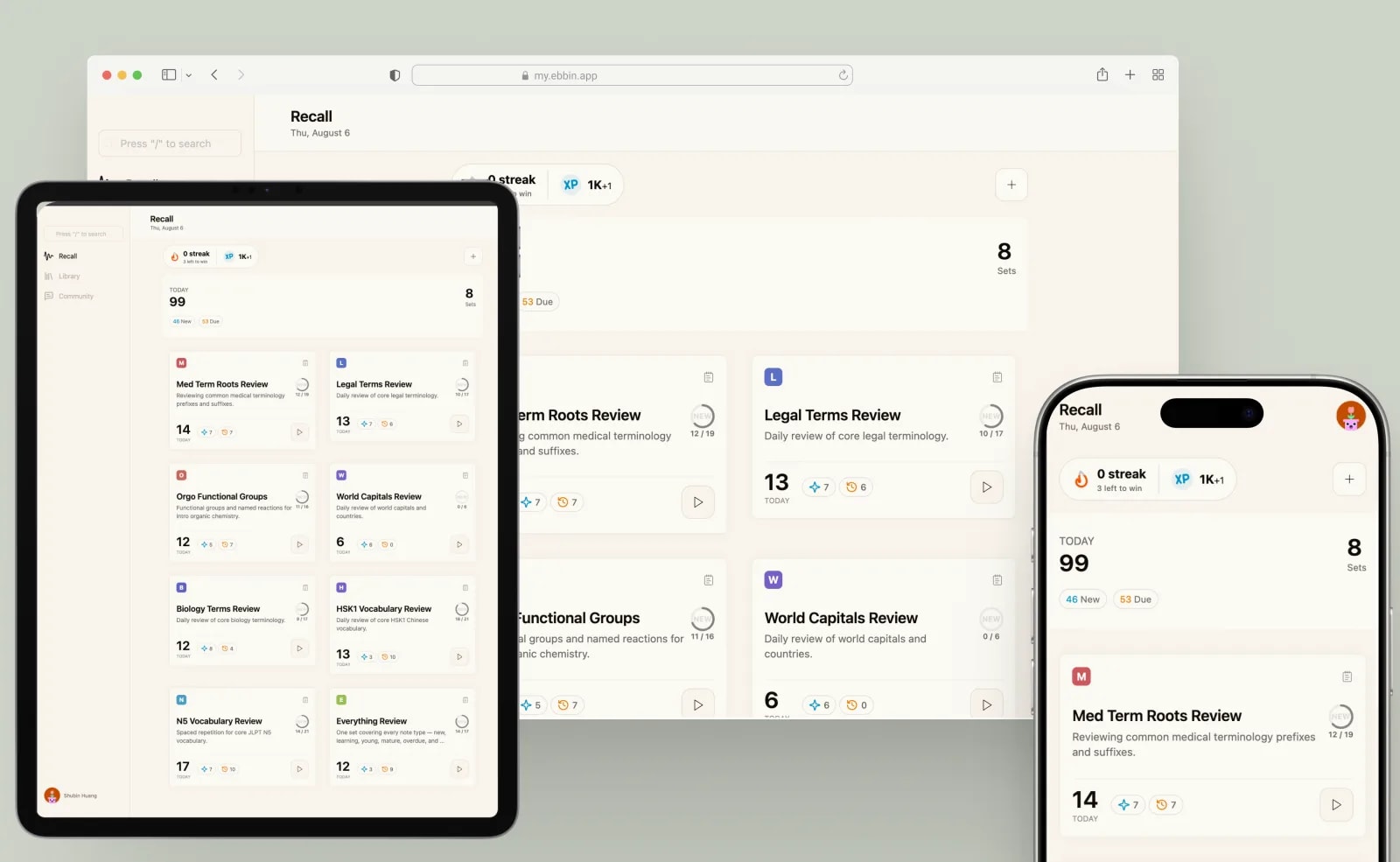
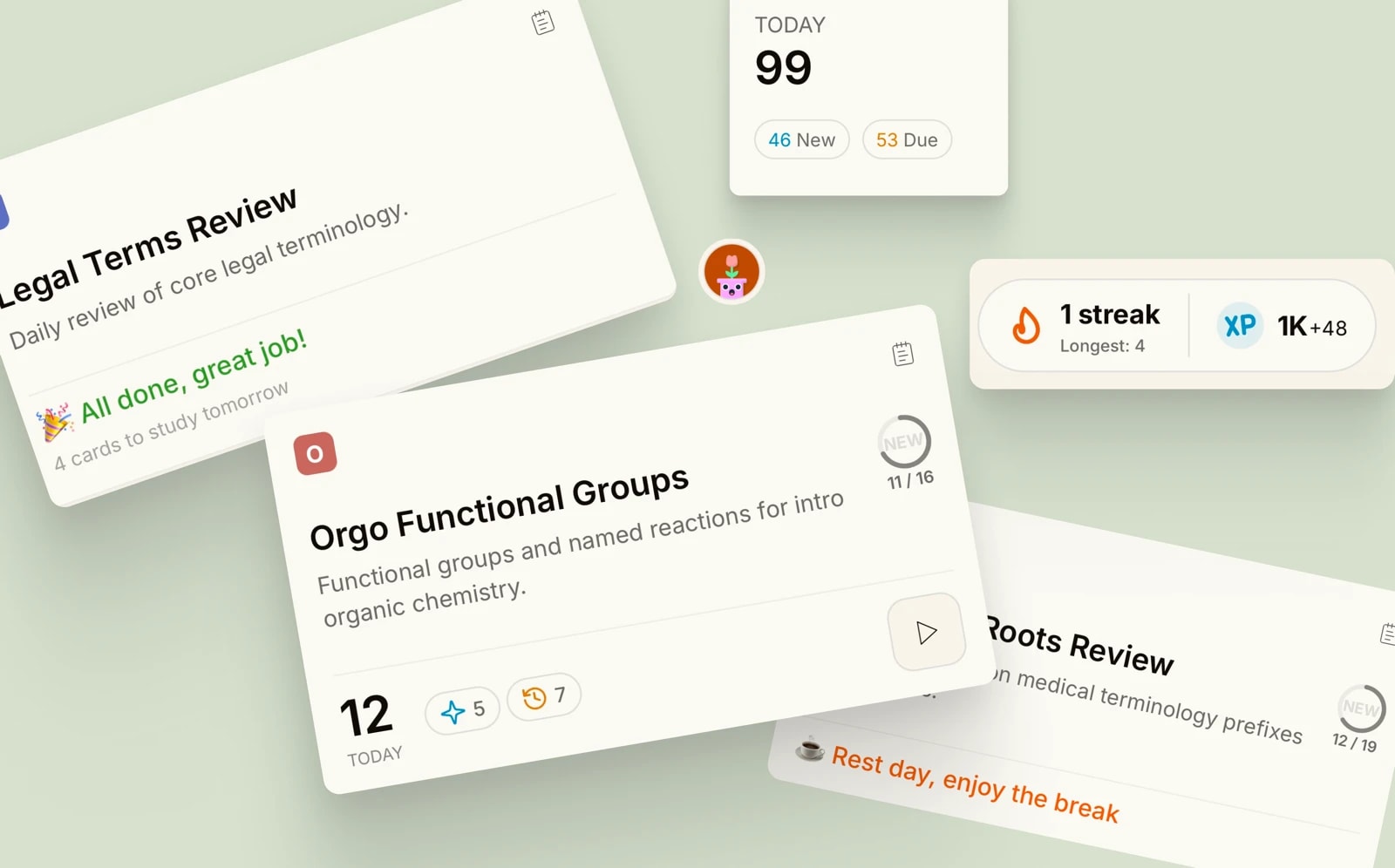
Recall
Schedules each review right before you'd forget it, using both self-graded and auto-graded.
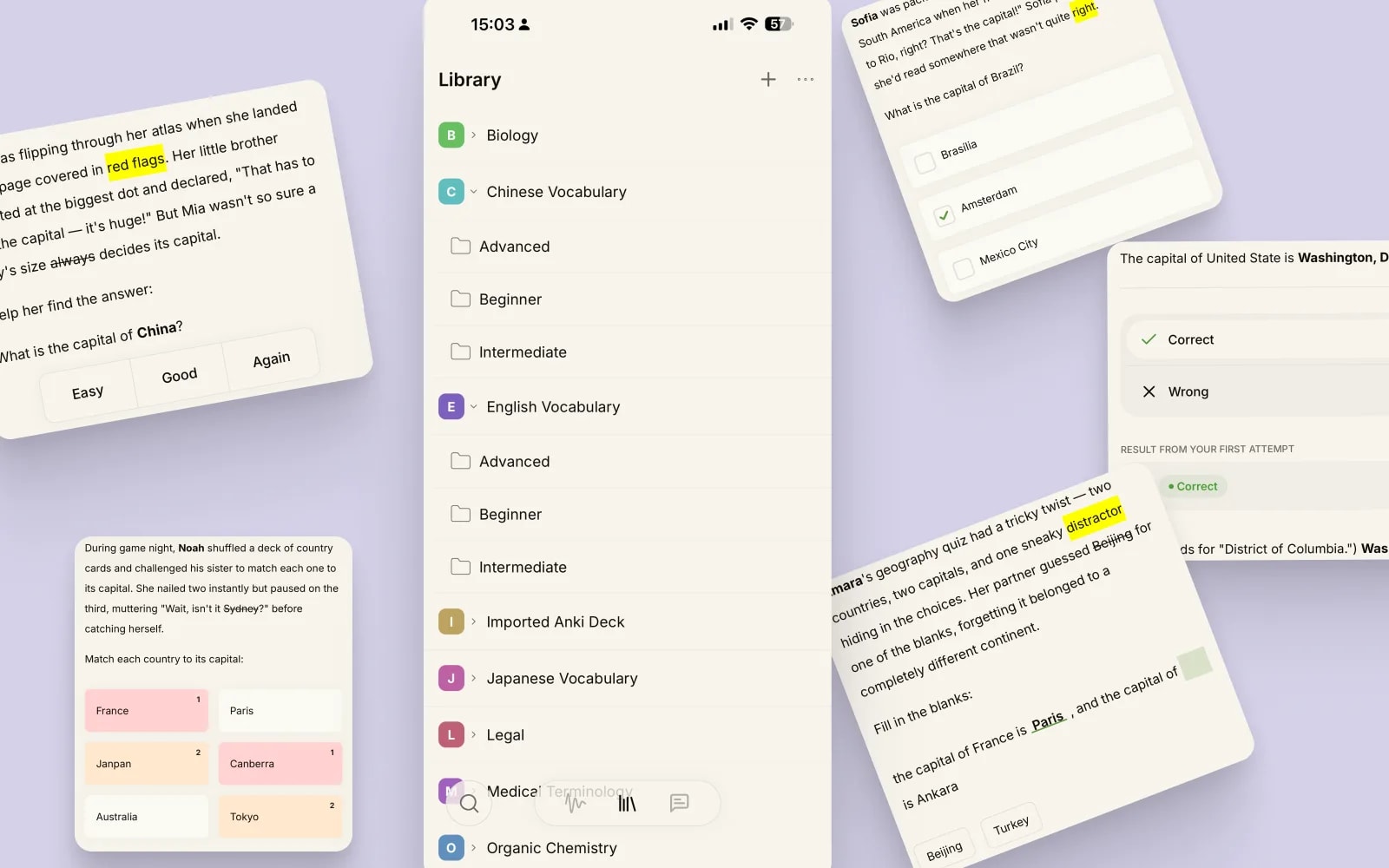
Library
Every note fits the material, organized into folders you control. Already on Anki? Import instead of rebuilding.
- Anki import
- Q&A
- Choice
- Matching
- Cloze
- True/False
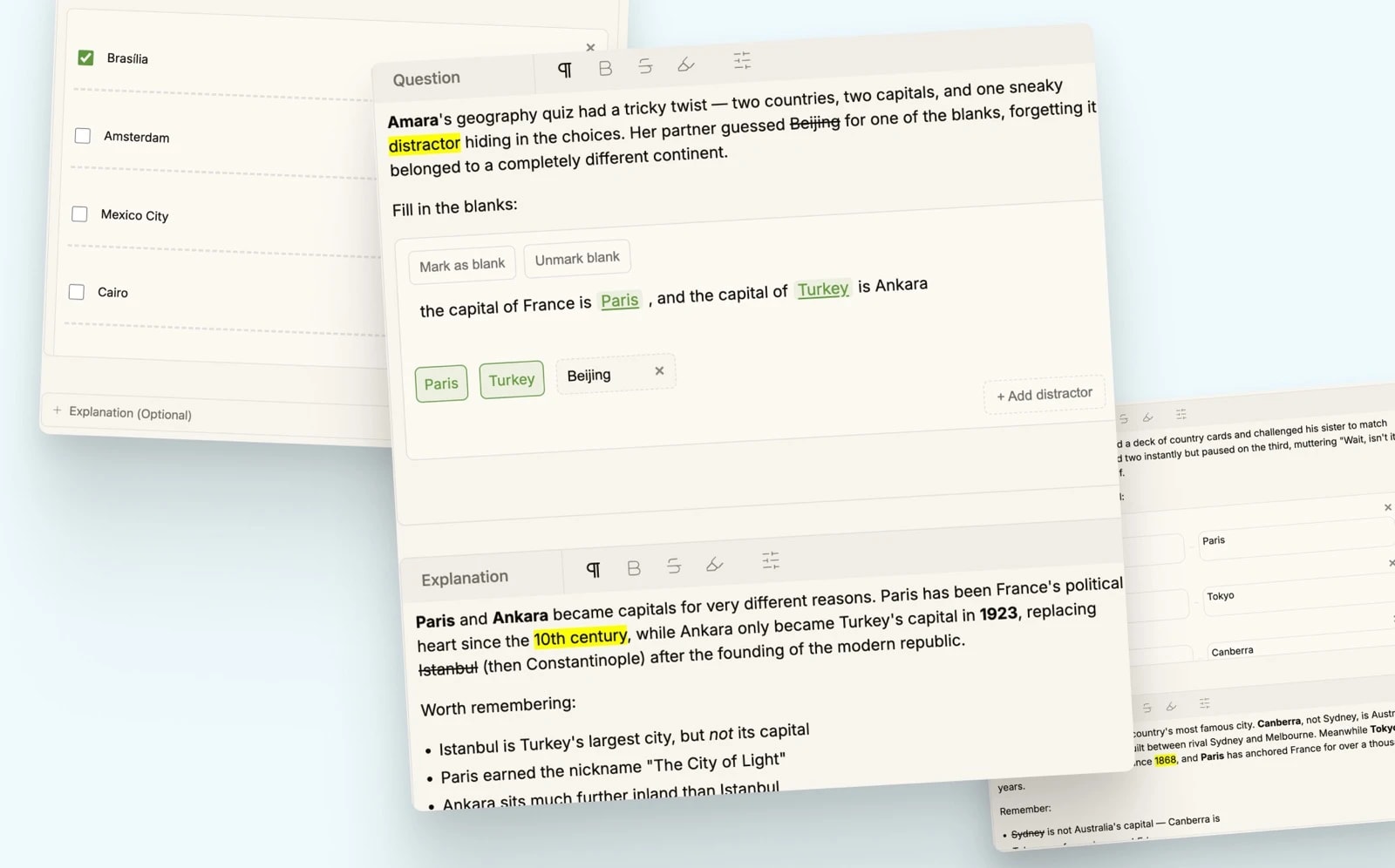
Note
Write a note like a document, with the same WYSIWYG editor on every note type.
- Headings
- Bold
- Highlight
- Lists
- Links
- Media
That's not all.
See every featureTimed to the forgetting curve.
Recall schedules every review around how memory actually fades, not a fixed daily list.
See how it worksBuilt for how you actually study.
Exam prep
Recall spaces your review sessions in the weeks before test day, instead of one long cram.
Language learning
Cloze cards make vocabulary and grammar patterns stick without rote repetition.
Certifications
Already have an Anki deck for your cert exam? Import it and keep your review history.
Study groups
Share decks and swap tips with classmates in the Community, tagged Deck Sharing.
Questions? We've got answers.
Spaced repetition, Anki imports, note types, platforms, pricing, it's all covered.